Objects and Classes in Java Language

Java classes and objects will be covered on this page.
We create programs utilizing objects and classes while using object-oriented programming techniques.
In Java, an object is both a physical and a logical thing, whereas a class is a logical entity only.
Objects
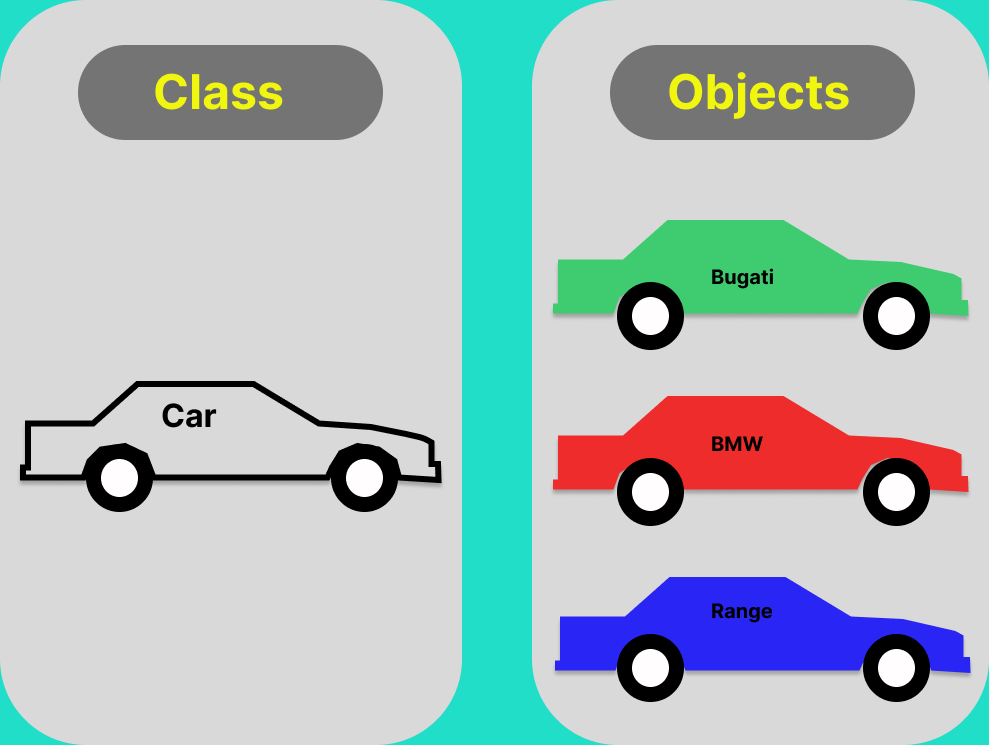
An object in Java is an instance of a class, which is a blueprint for creating objects. The building blocks of object-oriented programming (OOP) are objects, which stand in for actual people, things, ideas, or data structures.
Characteristics of an object:
There are three characteristics of an object as follows
State :
Objects store data or attributes that define the current state.
Behavior :
Objects can perform actions or exhibit behavior through methods. Methods define what an object can do and how it responds to certain actions or requests. such as deposits, withdrawals, etc.
Identity :
Each object has a unique identity, which is typically represented by its memory address or reference. This identity distinguishes one object from another.
Note:- An instance of a class is an object. An object can be produced from a class, which functions as a template or blueprint. Consequently, an object is a class instance.
Classes
A class is like a blueprint or template for creating objects. It defines the structure and behavior that objects of that class will have. Think of it as a recipe for making cookies, the class is the recipe, and the cookies you bake from it are the objects.
Java class can contain :
Fields
Methods
Blocks
Constructors
Inner Classes
Access modifiers
Static members, etc.
Syntax to declare a class :
class <class_name>
{
    variables;
    method;
}
3 Ways to Initialize an object
There are three ways to initialize objects in Java
By reference variable
By method
By constructor
Through reference Example:
Initializing means storing data in an object. So let's see how we can apply the first method, through an example
Filename:- Test.java
class Student{
 int id;
 String name;
}
class Test{
 public static void main(String[] args){
  Student obj = new Student();
  obj.id=101;
  obj.name="Kartik";
  System.out.println(obj.id+" "+obj.name);//printing members with a white space
 }
}
Output :
101 Kartik
Through Method Example :
In this example, we are creating the two objects of the Student class and initializing the value to these objects by invoking the insert method.
Filename: Test.java
class Student{
 int rollno;
 String name;
 void insert(int r, String n){
  rollno=r;
  name=n;
 }
 void display(){System.out.println(rollno+" "+name);}
}
class Test{
 public static void main(String args[]){
  Student obj_1=new Student();
  Student obj_2=new Student();
  obj_1.insert(101,"Kartik Sharma");
  obj_2.insert(102,"Aman Bisht");
  obj_1.displal();
  obj_2.display();
 }
}
Output :
101 Kartik Sharma
102 Aman Bisht
Through Constructor Example :
we can pass value with the help of constructor and we use parameterized constructor.
Filename: Test.java
class Student{
int id;
String name;
// Constructor
Student(int i, String n){
id = i;
name = n;
}
void display(){
System.out.println(id+" "+name);
}
}

class Test{
public static void main(String[] args){
 Student obj = new Student(101,"Kartik"); //this is a parameterized constructor
obj.display(); // Calling display method
}
}
Output :
101 Kartik